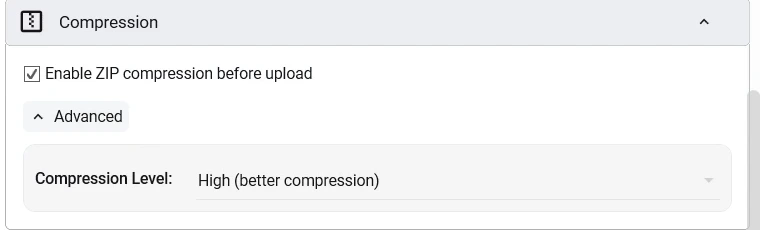
Every backup is packed into a standard zip archive, and you decide how hard BackupKit squeezes it. Compression shrinks what you upload and store — which on a per-GB cloud is real money — without locking your data into anything proprietary.
Three reasons to bother
- Pay for less storage: compressible data (documents, source code, logs, databases) can shrink 60-90%. That's money back on Dropbox, Google Drive, or any per-GB cloud.
- Upload faster: a 5 GB backup that compresses to 1.5 GB uploads 3x faster. On consumer uplinks, that's an overnight job turned into a minute.
- One tidy archive: a million small files become one zip: faster to transfer, easier to restore, and easier on cloud API rate limits.
Speed or size — pick per backup
Different data wants different settings. A folder of photos barely compresses, so burning CPU on max level is wasted; a code repo squeezes like a sponge. Pick the level per job:
- Store (0): no compression, just archive. For already-compressed files: photos, video, existing archives.
- Fast (1-3): light compression, minimal CPU. For frequent backups on slower hardware.
- Normal (5-6): balanced, the default sweet spot. For mixed, everyday content.
- Maximum (9): slowest, smallest output. For archival backups of compressible data where size matters most.
Levels map to standard deflate settings — the same ones used by 7-Zip, WinRAR, and every other zip tool.

Compressed where it makes sense
When the source is already on your PC, BackupKit compresses in place and ships the archive. When the source is remote — say, backing up an SFTP server — files are staged locally for a moment, compressed, and uploaded to the destination, so you get the size reduction even when the source is far away.
- Works with encryption: compression happens first, then AES wraps the archive.
- Disable anytime: set compression to Store for source data that's already compressed (video, JPEG, MP3).
- Standard zip: openable by every major tool on every major OS, forever.
Back up anything, anywhere — today
Encrypted, scheduled, automated backups to storage you already own. Try every feature free for 30 days — no card required.